
Sajideen
سجدہ کرنے والے
Prayer times that keep reminding you until you have prayed.
Accurate prayer times on your wrist and your phone, with reminders that escalate from a gentle alert to a final warning and only stop when you mark the prayer. Around the prayer, the Qur'an in the 15-line mushaf, the morning and evening adhkar and the 99 Names of Allah. Free, with no ads and no account.
فَسَبِّحْ بِحَمْدِ رَبِّكَ وَكُنْ مِنَ السَّاجِدِينَ
“When (you feel so) glorify your Lord with His praise and prostrate yourself before Him”
Al-Hijr 15:98Translation: Abul A'la Maududi
- Download on theApp Store
- Get it onGoogle Play
- MacComing to the Mac App Store
- Windows & web: install from Edge or ChromeOpen web app
Download free on the App Store and Google Play. Available on iPhone, Apple Watch, Android and Wear OS. Coming to the Mac App Store. On Windows and any computer, use the web app. Questions? Get in touch.
Free
Every feature, for everyone.
No ads
Nothing between you and the prayer.
No account
Install it and it works.
On-device
Times are calculated on your device.
Together with Sajideen
What we have done, together.
1,004 salawat & dhikr263 prayers marked141 Qur'an pages read
Live totals from every Sajideen app, updated every minute. Anonymous counts only: no names, no accounts, no location. You can turn it off in the app with “Share anonymous usage data”.
See the live dashboardReminders
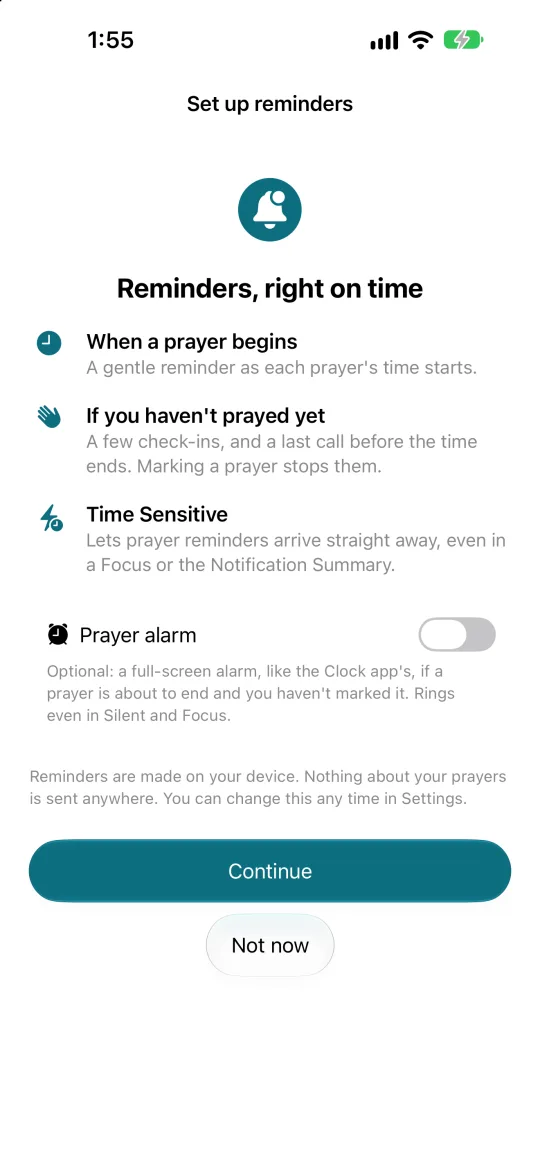
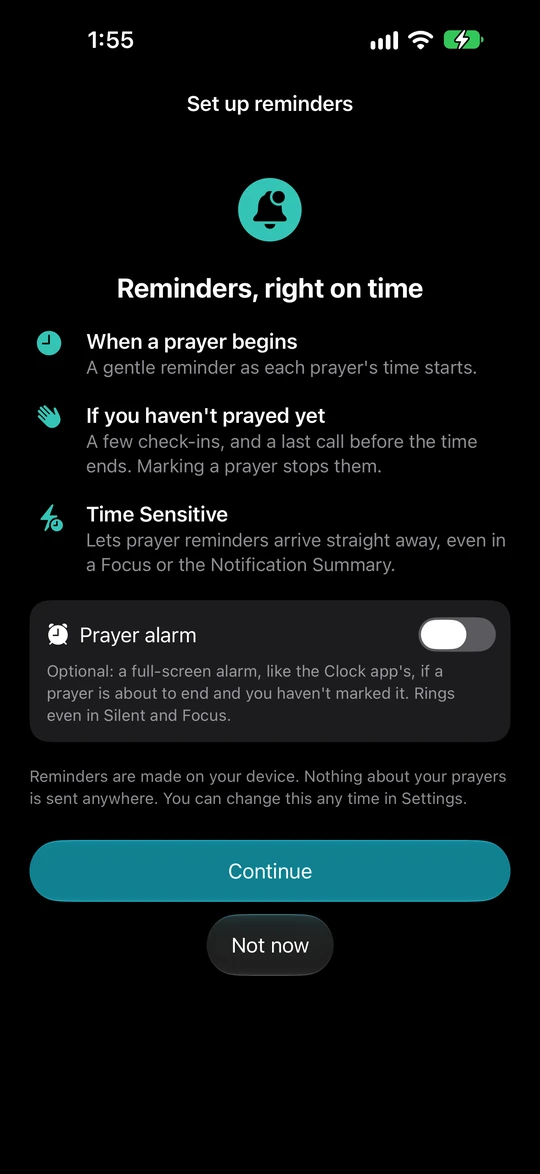
One alert is easy to ignore. Sajideen keeps asking.
Most prayer apps notify you once and move on. Sajideen follows the prayer through its whole window, until you tell it you have prayed.
- 01
Start alert
The prayer time begins and Sajideen lets you know.
- 02
Check-ins
Still not marked? Sajideen checks in again while there is time left.
- 03
Go to salah
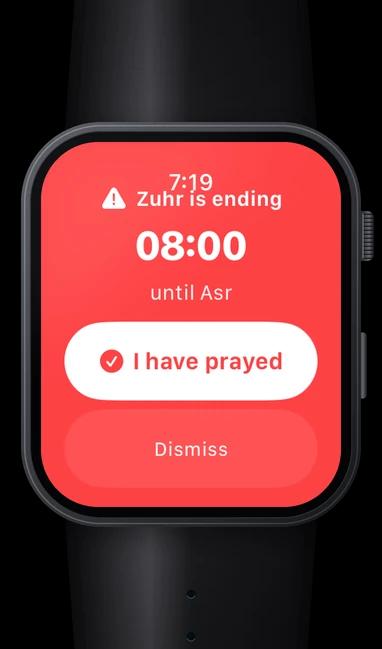
A final red warning before the window closes.
Mark the prayer at any point and the rest of its reminders are cancelled. On Fridays, Jumu'ah takes the place of Dhuhr with a single check-in. You can also tap I have prayed on the notification itself, without opening the app.
Beyond the five prayers
- Nawafil reminders: Sunrise, Ishraq, Duha and Tahajjud, each one optional.
- Sunnah surahs: Ya-Sin after Fajr, al-Waqi'ah and al-Mulk at night, and al-Kahf on Friday, with an “I've read al-Kahf” button.
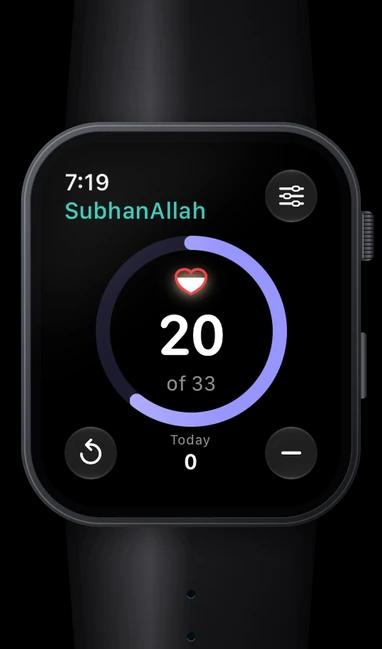
Apple Watch
Built for the wrist first.
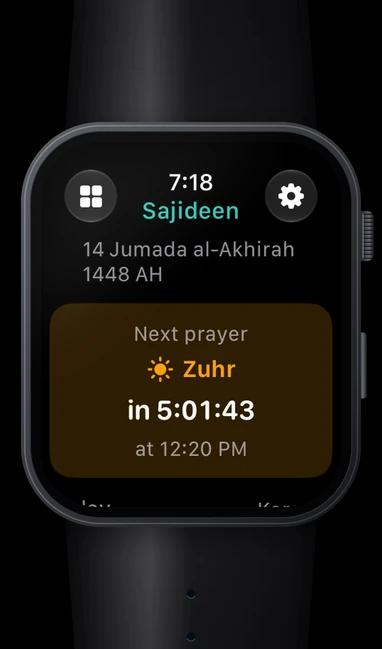
The watch is where a reminder is hardest to miss, so Sajideen was designed around it.
Reminders that do not give up
A start alert, check-ins through the prayer window, and a final red "go to salah" warning. They stop the moment you mark the prayer.
Adhan on the watch
Hear the adhan from your wrist when the time comes in.
Watch-face complications
Prayer times on the watch face you already use.
Mark it from your wrist
Log a prayer on the watch and the log syncs to your iPhone.
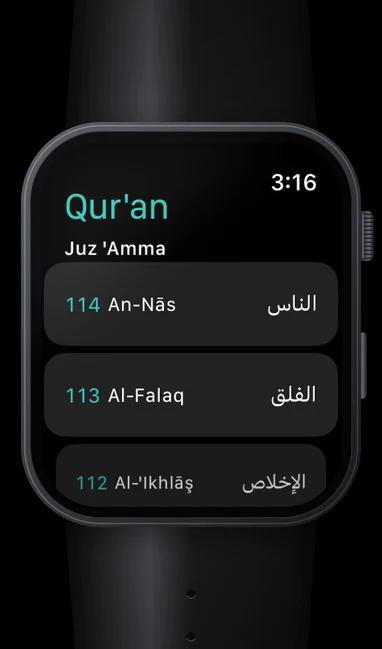
Juz 'Amma and the adhkar
Read the short surahs, count the morning and evening adhkar, and see the sunnah surah of the moment.
Qur'an, du'as and dhikr
Everything around the prayer, in one place.
The Qur'an, the adhkar and the Names of Allah, kept close at hand, and checked against published editions before they are shown.
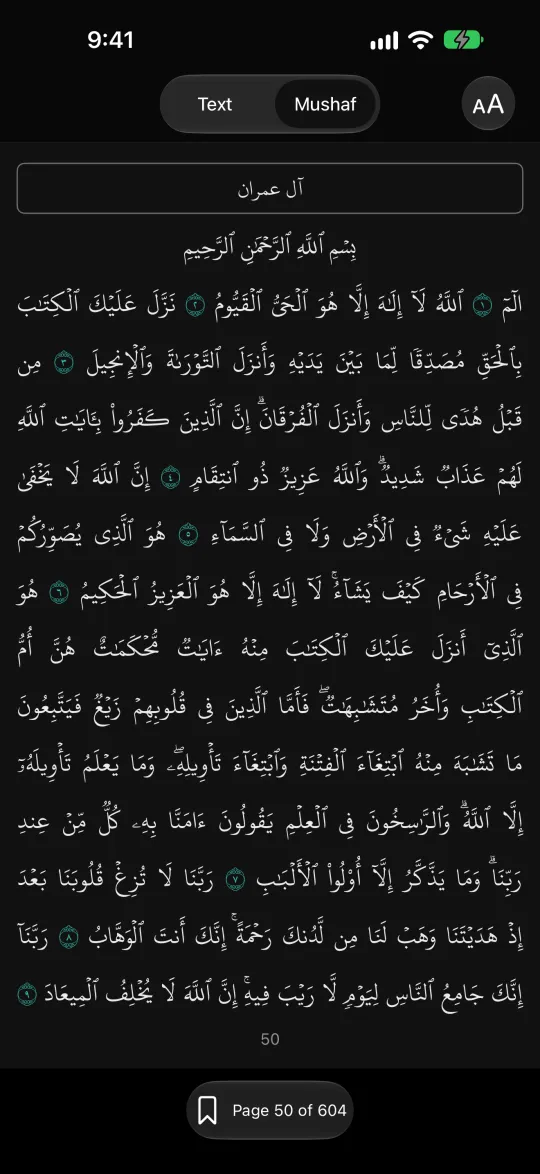
The Qur'an in the 15-line mushaf
Page by page in the Pakistani 15-line mushaf or the Madani mushaf, fully offline.
With Urdu and English translation
Urdu by Maududi or Fateh Muhammad Jalandhari, English by Maududi. Search, night mode and text size.
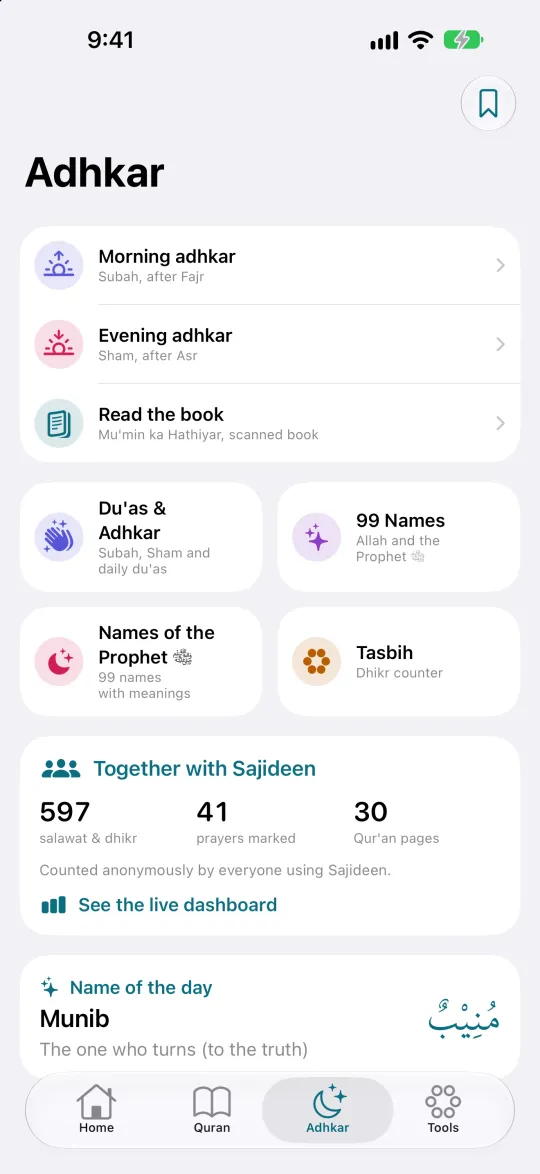
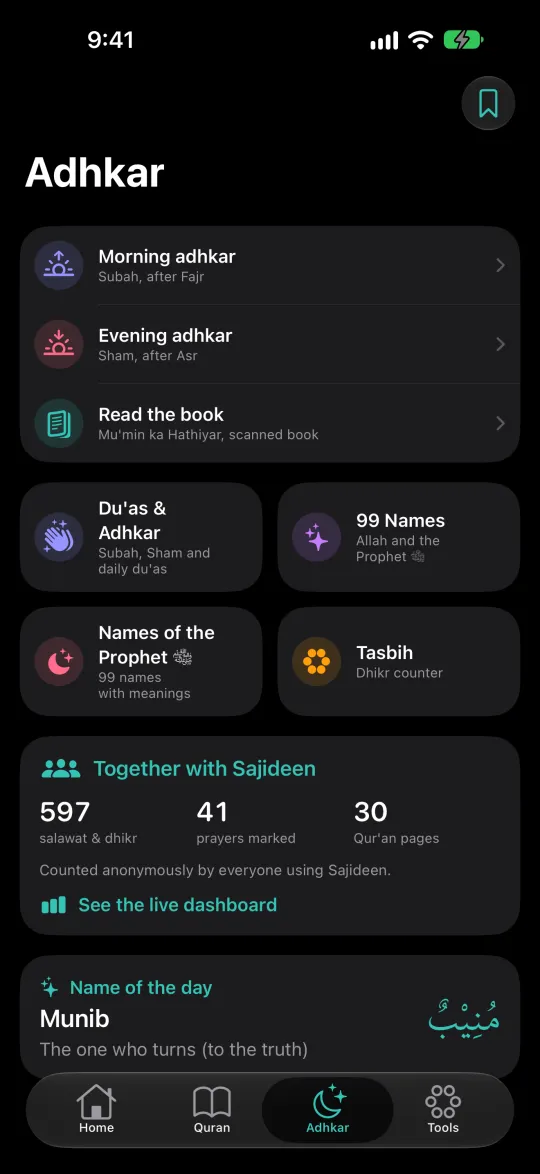
Morning and evening adhkar
From Mu'min ka Hathiyar and Hisn-e-Haseen, with a counter for every dhikr. Every du'a is checked word for word against published Qur'an and hadith editions.
Read the book, and zoom
Open Read the book from the Adhkar tab. Pinch or double-tap to zoom in the mushaf and in the Mu'min ka Hathiyar book.
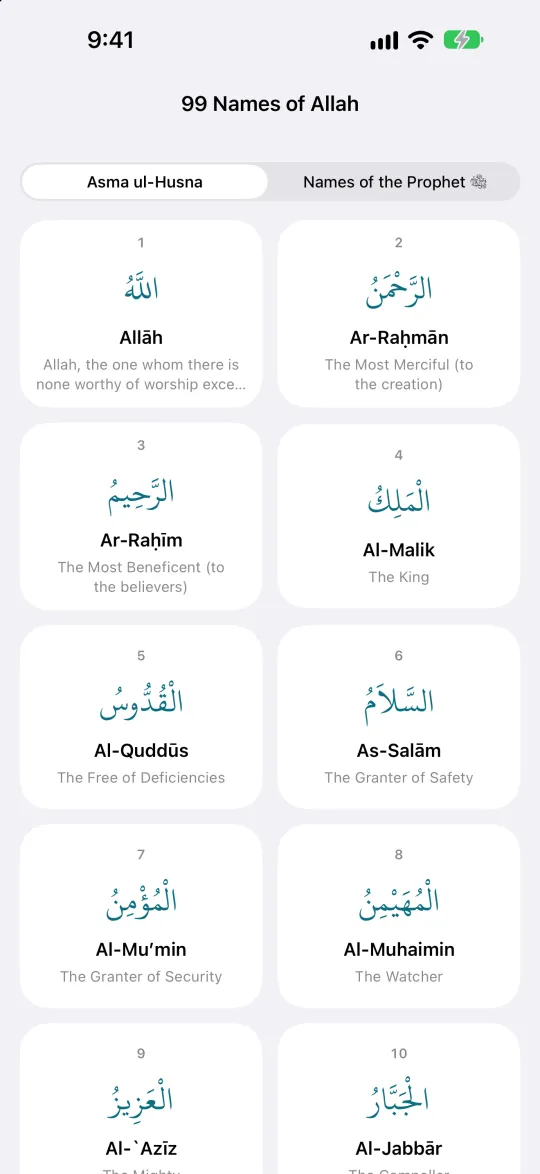
The 99 Names of Allah
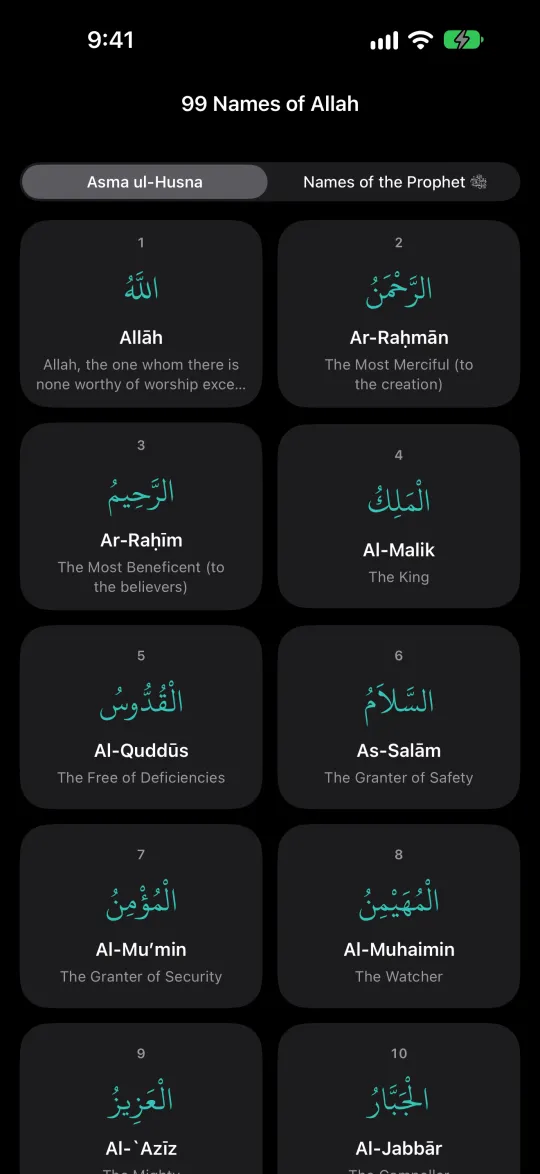
In Arabic with English and Urdu meanings, and a Name of the day on Home.
Sunnah surahs at their time
Ya-Sin after Fajr, al-Waqi'ah and al-Mulk at night, and al-Kahf on Friday, with gentle reminders if you want them and an "I've read al-Kahf" button.
Bookmarks
Save a surah, a mushaf page, an ayah or a du'a, all on one screen.
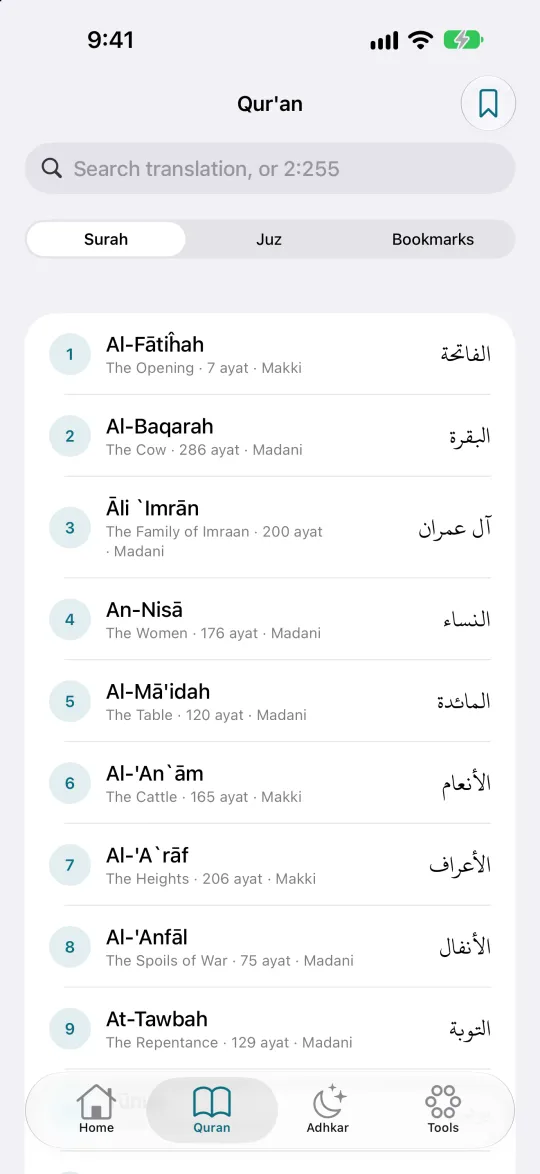
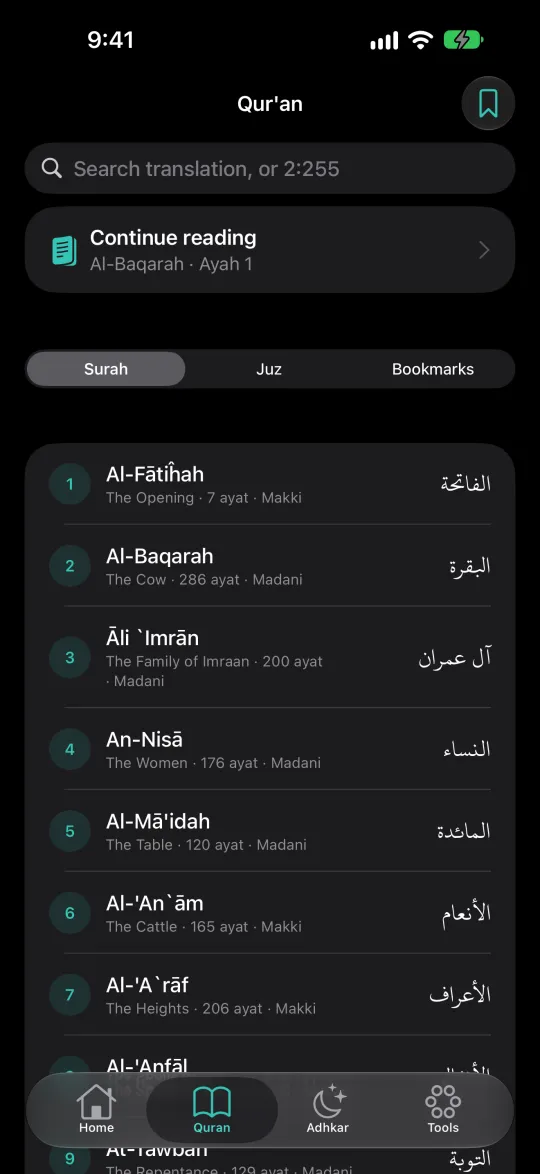
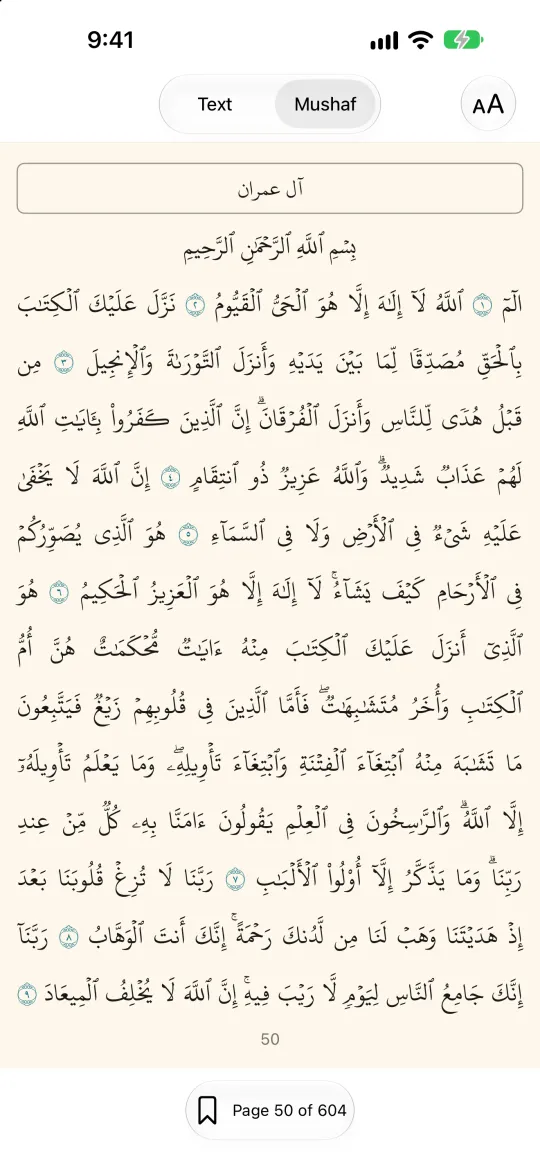
iPhone
The whole day, in order.
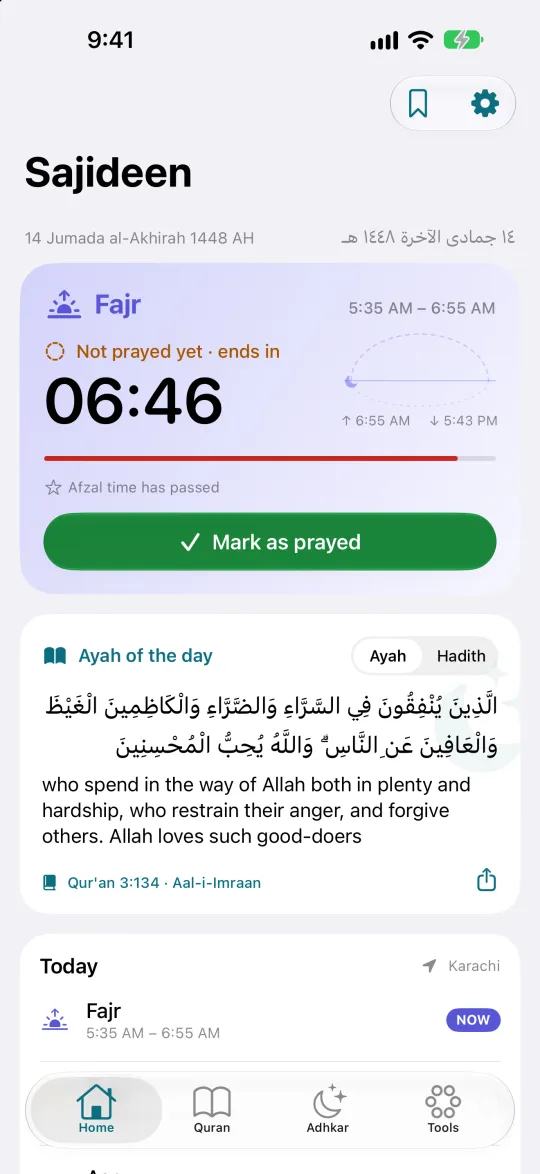
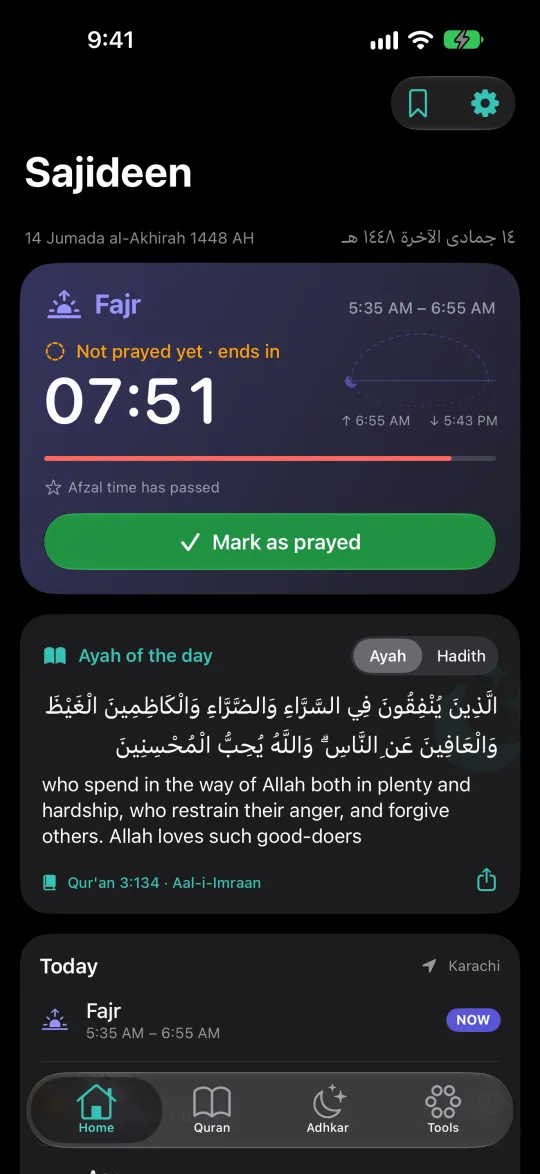
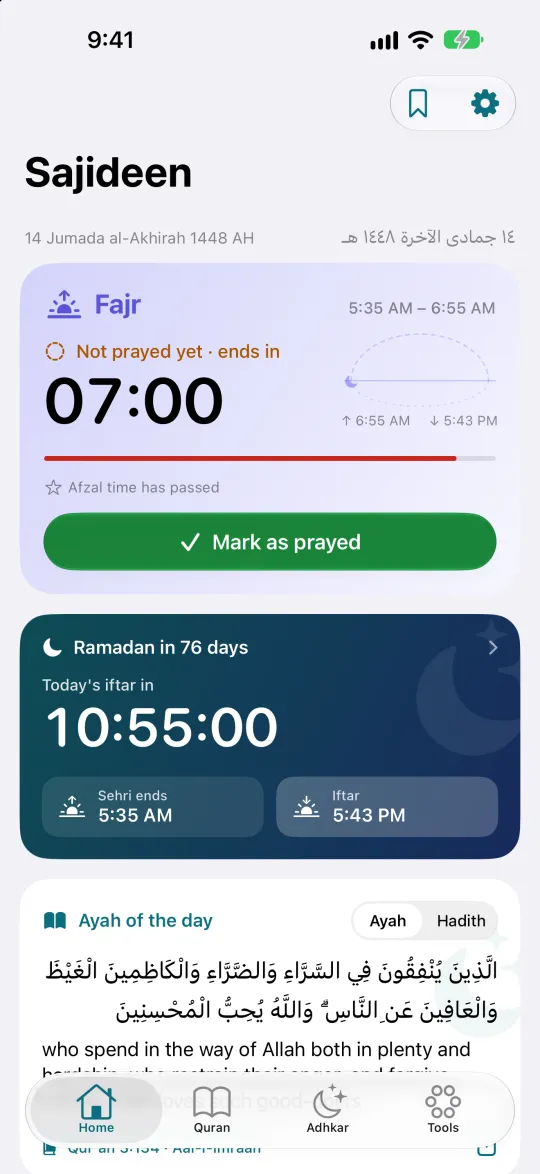
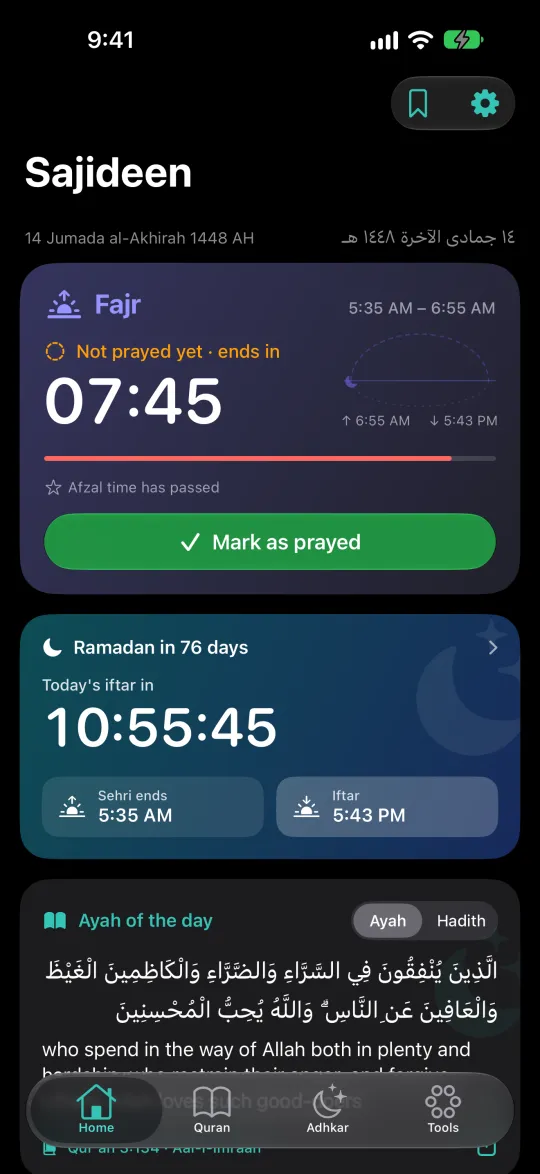
Today's times, what is preferred, what to avoid, and what you have already prayed.
Four tabs
Home, Quran, Adhkar and Tools sit along the bottom of the app.
Sun path and Hijri date
The prayer card draws the sun's path with sunrise and sunset. The Hijri date shows in English and Arabic, adjusted for local moon sighting.
Nawafil reminders
Optional reminders for Sunrise, Ishraq, Duha and Tahajjud.
Accurate prayer times
Calculated on-device for your GPS location or any city, with every common method (Karachi, MWL, ISNA, Umm al-Qura, Egypt, Dubai, Turkey, Singapore and more), Hanafi or Shafi'i Asr and minute adjustments.
A day that runs Fajr to Fajr
The prayer day ends at the next Fajr, not at midnight, so a late Isha still counts for the right day.
Afzal and Makruh times
See the preferred (Afzal) time for each prayer and the Makruh times to avoid.
Jumu'ah on Fridays
Friday switches to Jumu'ah automatically, with a single check-in instead of the usual sequence.
"I have prayed" from the notification
Mark the prayer straight from its notification, without opening the app.
Prayer log, synced
Your log stays on your devices and syncs directly between your own watch and iPhone.
Widgets and Live Activity
The next prayer, wherever you look.
You should not have to open an app to know how long you have left.
Live Activity and Dynamic Island
Prayer times stay visible on the Lock Screen and in the Dynamic Island.
Home and Lock Screen widgets
Today's times and the next prayer, without opening the app.
Complications
Prayer times on your Apple Watch face, always a glance away.
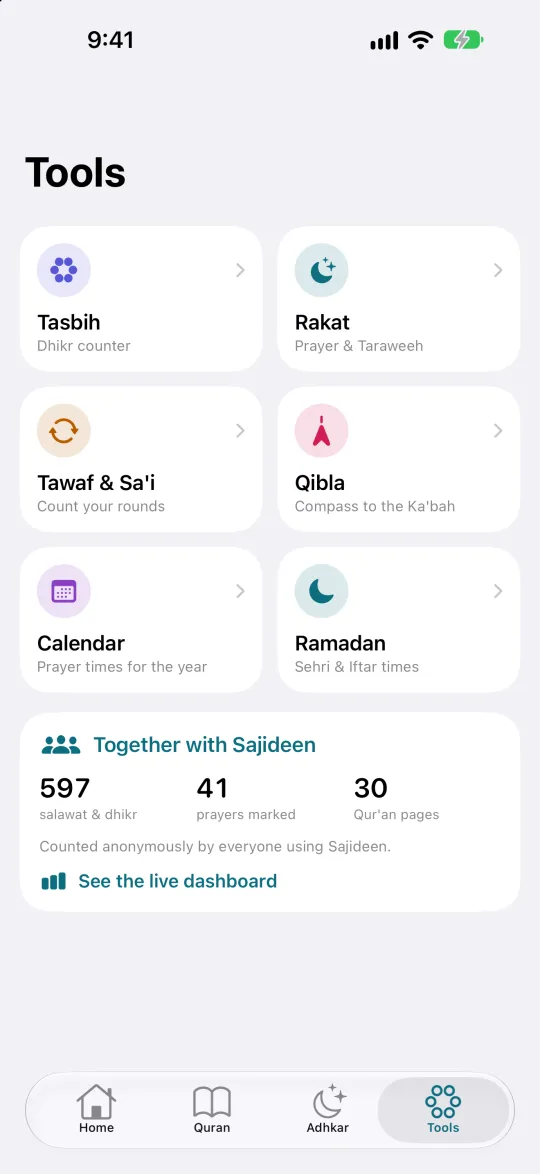
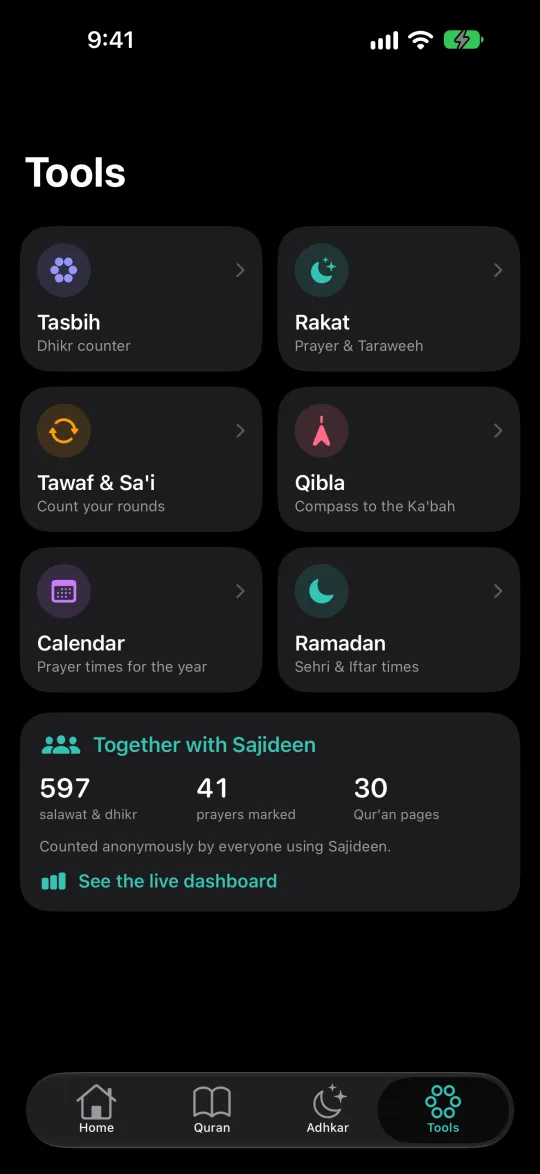
Tools
The things you reach for around the prayer.
Small, focused tools that live in the same app.
Tasbih counter
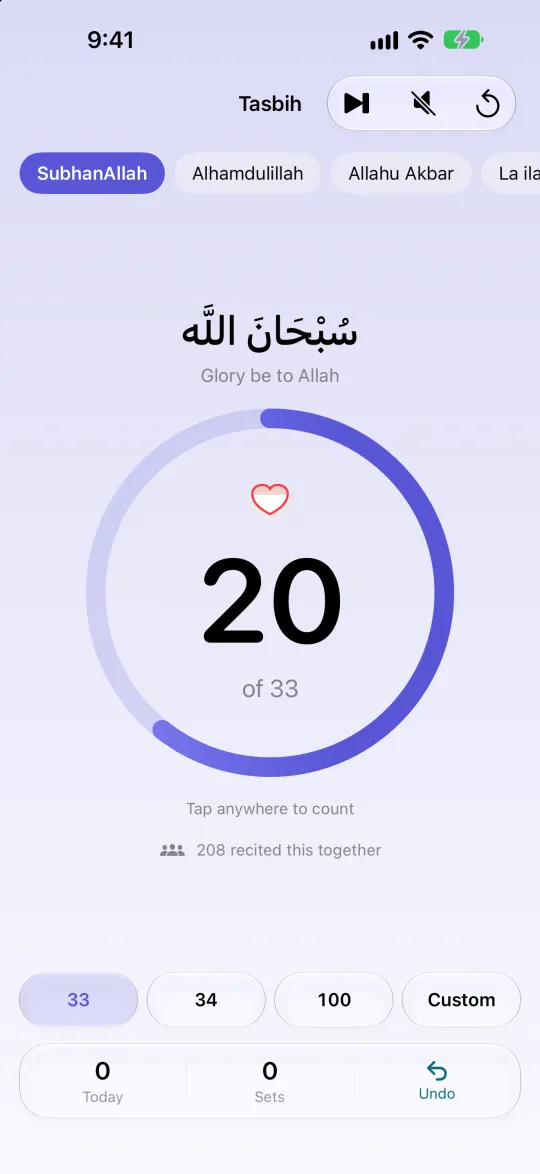
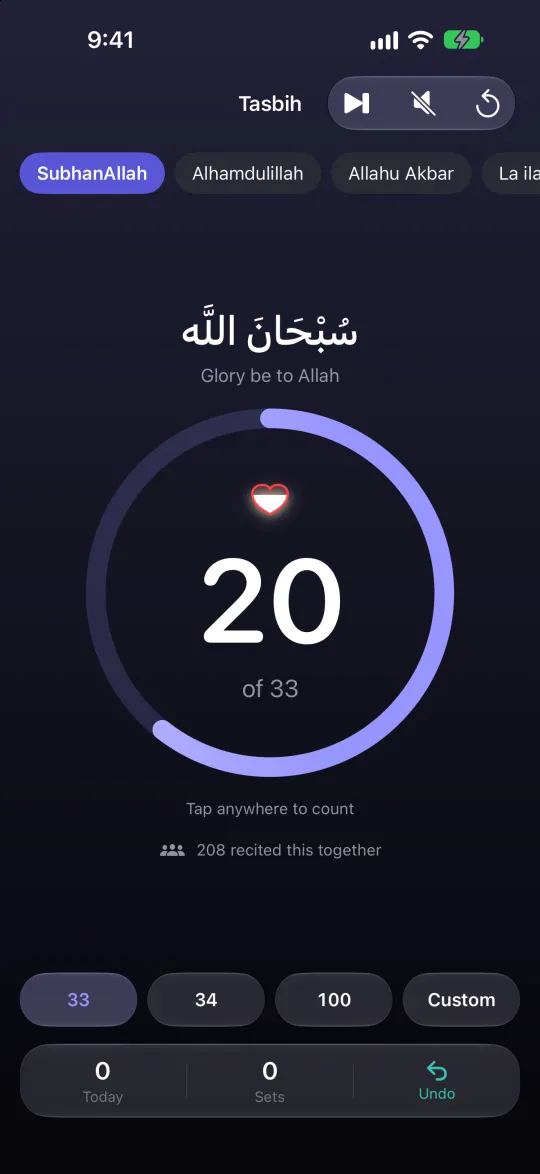
Count your dhikr without losing your place. It moves on by itself after each set, and a heart above the count fills with light.
Tawaf and Sa'i counter
Keep track of your rounds during Umrah and Hajj.
Together with Sajideen
A live dashboard of anonymous totals: Tawaf, Sa'i, rakat, Taraweeh, salawat and dhikr, the most read surahs, and a world map by country.
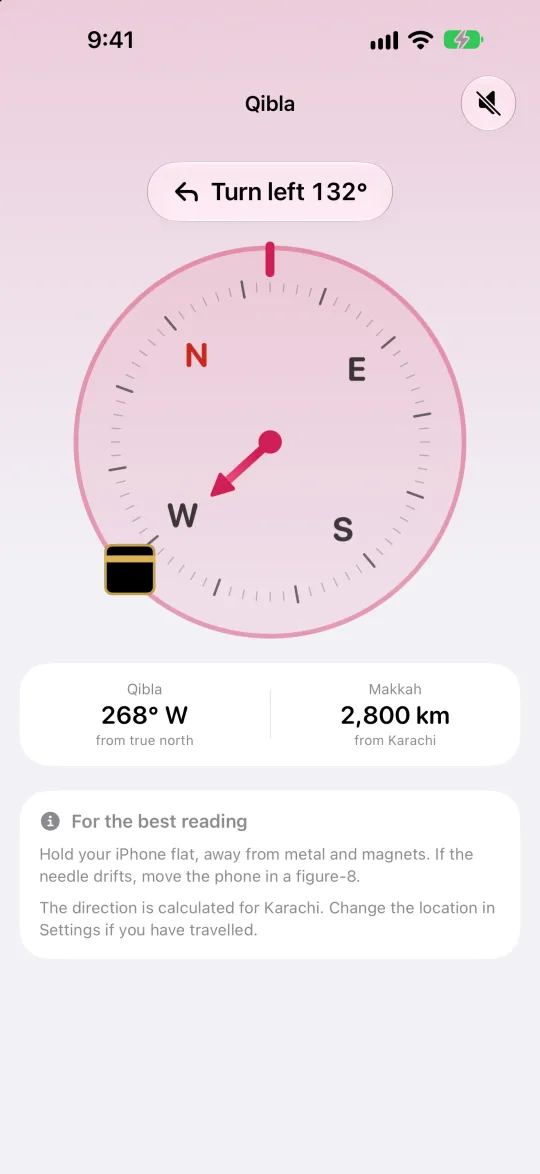
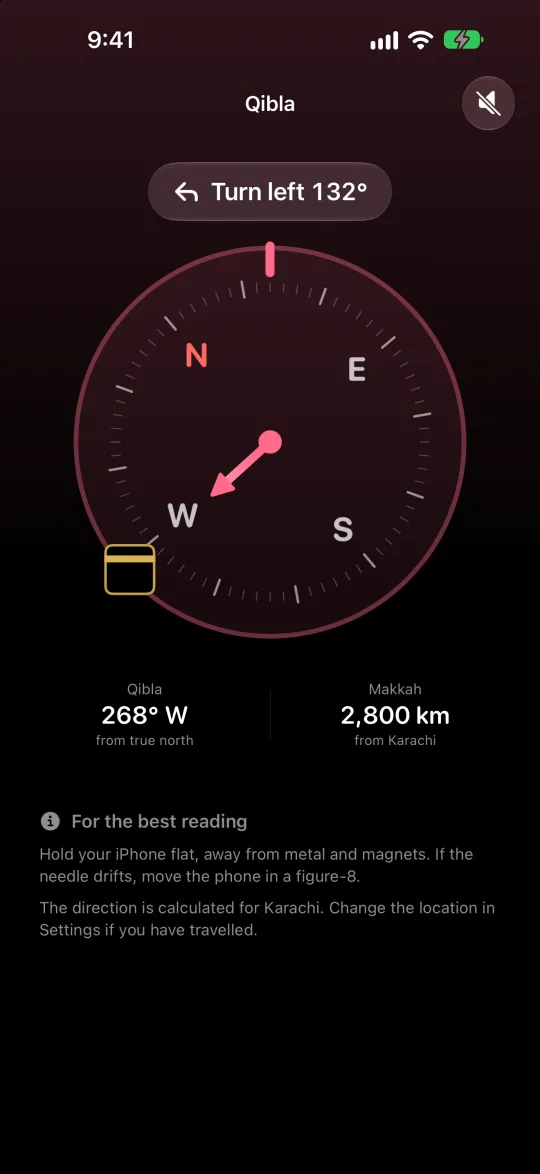
Qibla finder
Point toward the Kaaba from wherever you are.
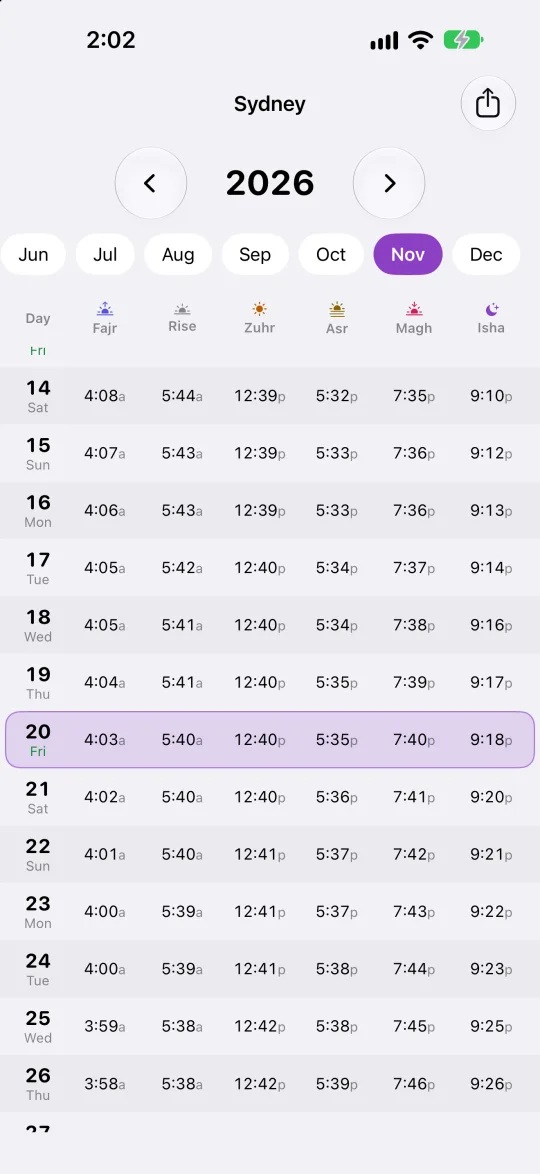
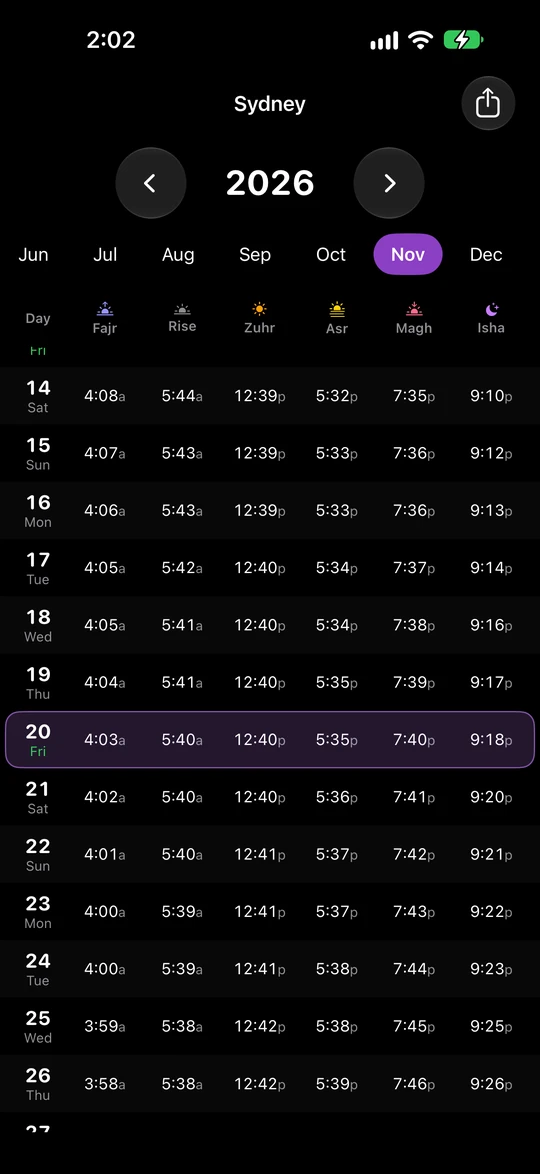
Yearly prayer calendar
Prayer times for the whole year, for your location.
Daily ayah and hadith
An ayah of the Qur'an and a hadith from Sahih al-Bukhari or Sahih Muslim each day.
Places of your sujood
A private map of the places you have prayed, kept on your device.
The name
What Sajideen means
السَّاجِدِينَ, sajideen, means “those who prostrate”. In Urdu it is سجدہ کرنے والے (sajda karne wale): the people who bow down before their Lord. The app's name is also written ساجدین in Urdu, and sometimes spelled Sajidin in English.
The word comes from the end of Surah al-Hijr, verse 15:98, quoted at the top of this page. The hope behind the name is simple: to help a few more of us be among those who pray on time.
- Name
- Sajideen: Never Miss Salah
- Platforms
- iPhone, Apple Watch, Mac (coming), Android, Wear OS, Windows and web
- Price
- Free, no ads, no subscriptions
- Account
- None. Data stays on your devices
- Prayer times
- Every common method, Hanafi or Shafi'i Asr, on device
- Qur'an
- Indo-Pak 15-line and Madani mushaf, Urdu and English translation
- Languages
- English and Urdu
- Made by
- Muhammad Abdullah
- Dedication
- Dedicated to my parents.
Explore
A closer look at each part of Sajideen.
- Qur'an: 15-line and Madani mushafThe Indo-Pak 15-line and Madani mushaf, offline, with zoom and Urdu and English translation.
- Du'as and adhkarAdhkar from Mu'min ka Hathiyar and Hisn-e-Haseen, checked word for word, with counters.
- 99 Names of AllahAsma ul-Husna in Arabic, with English and Urdu meanings and a Name of the day.
- Surah al-Kahf on FridayAl-Kahf on Friday, Ya-Sin after Fajr, al-Waqi'ah and al-Mulk at night, and nawafil reminders.
- Apple Watch prayer appReminders that keep asking on your wrist, adhan, complications and one-tap marking.
- Tawaf and Sa'i counterSeven rounds of Tawaf and seven laps of Sa'i, counted on your wrist. Built after Hajj.
- Qibla finderA compass that talks you round: turn left, turn right, you are facing the Qibla.
- Tasbih counterTap anywhere to count dhikr, with targets of 33, 34, 100 or your own number.
- Ramadan sehri and iftar timesEvery day of Ramadan, sehri and iftar reminders, and moon-sighting dates per country.
- Android and Wear OSNative Kotlin apps with exact-alarm reminders, a Wear OS Tile and complications.
Prefer Urdu? ساجدین اردو میں پڑھیں
Price
Free, and it will stay free.
No ads, no subscriptions, no data sold.
I seek its price only in the Hereafter, from Allah, on the Day of Judgment.
May Allah accept it and make it a sadaqah jariyah for me, my parents and my family.
If it benefits you, remember us in your du'a.
— Muhammad Abdullah
وَمَا أَسْأَلُكُمْ عَلَيْهِ مِنْ أَجْرٍ ۖ إِنْ أَجْرِيَ إِلَّا عَلَىٰ رَبِّ الْعَالَمِينَ
I seek of you no reward for this: my reward is with none except the Lord of the Universe
Qur'an 26:109
إِذَا مَاتَ الإِنْسَانُ انْقَطَعَ عَنْهُ عَمَلُهُ إِلاَّ مِنْ ثَلاَثَةٍ إِلاَّ مِنْ صَدَقَةٍ جَارِيَةٍ أَوْ عِلْمٍ يُنْتَفَعُ بِهِ أَوْ وَلَدٍ صَالِحٍ يَدْعُو لَهُ
Abu Huraira (Allah be pleased with him) reported Allah's Messenger (ﷺ) as saying:When a man dies, his acts come to an end, but three, recurring charity, or knowledge (by which people) benefit, or a pious son, who prays for him (for the deceased)
Sahih Muslim 1631
رَبَّنَا تَقَبَّلْ مِنَّا ۖ إِنَّكَ أَنْتَ السَّمِيعُ الْعَلِيمُ
Lord, accept this service from us; You are All-Hearing and All-Knowing
Qur'an 2:127
Qur'an translation: Abul A'la Maududi, via Tanzil.net. Hadith translation: Abdul Hamid Siddiqui.
Get Sajideen
Free on iPhone, Apple Watch, Mac, Android, Wear OS and the web.
Your prayer log and location stay on your devices. There are no ads, and no tracking across other apps. Read the privacy policy.
- Download on theApp Store
- Get it onGoogle Play
- MacComing to the Mac App Store
- Windows & web: install from Edge or ChromeOpen web app
Made by Muhammad Abdullah
Dedicated to my parents.