
Availability
Sajideen for Android phones is available on Google Play. The Wear OS watch app is coming soon on Google Play and is not live yet. Like the Apple version, Sajideen for Android is free, with no ads, no subscriptions and no account.
Install on your watch
When the Wear OS app is live, there are two ways to get it:
- On your phone, open the Sajideen page on Google Play and choose your watch under Install on more devices.
- Or open Google Play on the watch itself and search for Sajideen.
The watch app needs Wear OS 3 or later (Android 11 based). It works on Galaxy Watch 4 and newer, Pixel Watch, Xiaomi Watch 2 and 2 Pro, OnePlus, Fossil and TicWatch. It does not run on Galaxy watches that use Tizen (before Galaxy Watch 4), or on Xiaomi and Redmi watches and bands that do not run Wear OS. The phone app needs Android 8.0 or later.
Reminders that fire on time
Android works hard to delay anything it does not think is urgent, which is the opposite of what a prayer reminder needs. Sajideen uses exact alarms so each reminder fires at the minute it should, even when the phone is in Doze.
The reminders follow the same chain as on Apple Watch: a start alert when the prayer time begins, check-ins during the prayer window if you have not marked it, and a final warning shortly before the time ends. If you grant the permission, that final warning can open as a full-screen alarm, like an incoming call. Mark the prayer and the rest of its reminders are cancelled. On Fridays, Jumu'ah replaces Dhuhr with a single check-in.
Wear OS prayer times on your watch face
The Wear OS app has its own Tile, a swipe away from your watch face, and complications for watch faces that support them. The phone and watch keep their own prayer logs and sync over the Wearable Data Layer. There is no server in between. An undo is stored as a timestamped record rather than a deletion, so the newest change wins on both devices, however long they were apart.
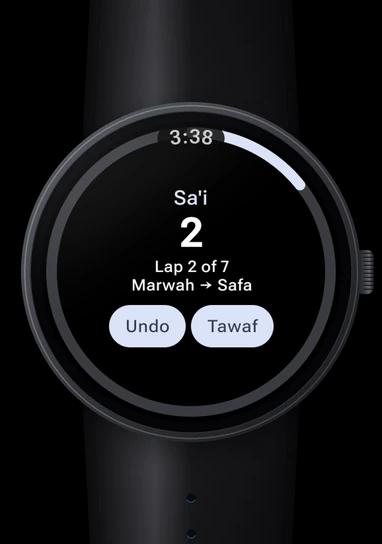
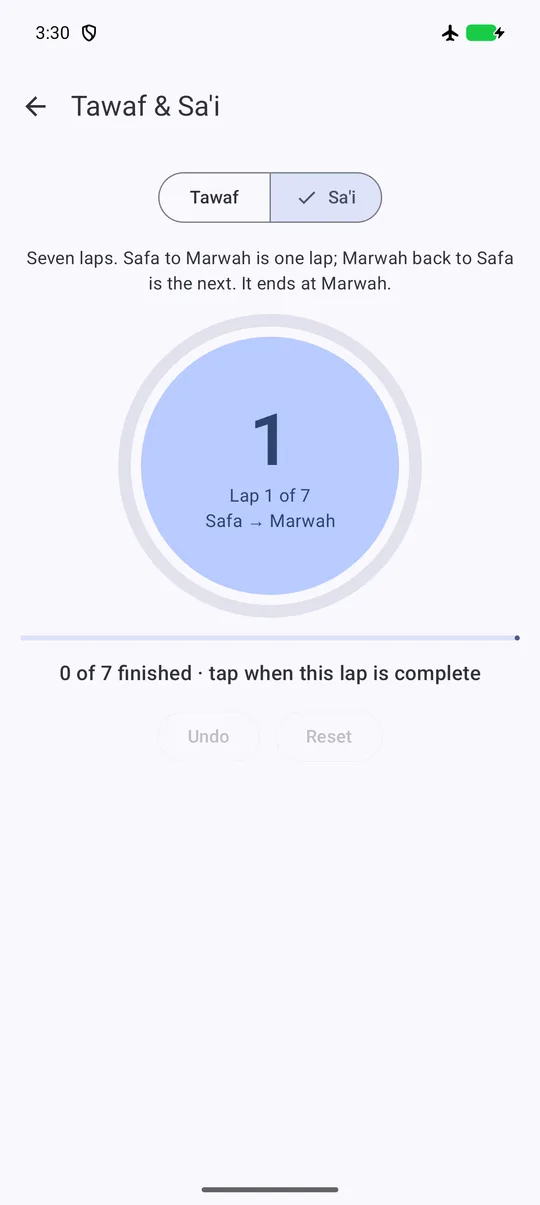
On the watch you also get the Tawaf and Sa'i counter, the Tasbih counter and the Qibla finder, so your phone can stay in your pocket.
The same prayer times on every device
Prayer times are calculated on the device, with no API, using the University of Islamic Sciences, Karachi method (Fajr and Isha at 18°) and the Hanafi rule for Asr. The prayer maths and the reminder rules were ported from the Swift implementation number for number, so a Fajr time in Karachi is the same on an Android phone, a Wear OS watch, an iPhone and an Apple Watch. The prayer day runs from Fajr to Fajr, so a late Isha is logged on the right day, and high-latitude rules keep Fajr and Isha sensible in places where the sun does not go far below the horizon in summer.
On the home screen
A home-screen widget, built with Jetpack Glance, puts your prayer times on the home screen without opening the app. In Ramadan the app adds sehri and iftar times and moon-sighting dates for the authority you follow.
Privacy
There is no login. Your prayer log and location stay on your devices, and the app's anonymous analytics never send names, emails or coordinates. The privacy policy has the details. Using an iPhone and Apple Watch instead? See Sajideen on Apple Watch.